
Citylibraries Riverway Creative Hub
The Riverway Creative Hub is the go-to space for creators, collaborators, inventors, ideators, fixers and tinkerers. Home to two Digital Studios and the MixHaus Makerspace, this innovative space offers Townsville Citylibraries members free access to equipment, technology and creative resources.
Inducted members can now access the Riverway Creative Hub all hours. This means inducted members can use any equipment in the Riverway Creative Hub before, during, and after Citylibraries Riverway’s opening hours, allowing the community to create, collaborate and innovate whenever inspiration strikes.
To be able to access and utilise the Riverway Creative Hub, all users must:
- Be a Townsville Citylibraries member
- Complete the online induction
- Have a Bookable account
Explore the full list of equipment below, along with helpful videos, instruction manuals, and induction information to help you get started.
Plus, keep an eye on the What's On Townsville website for Creative Hub workshops and programs.
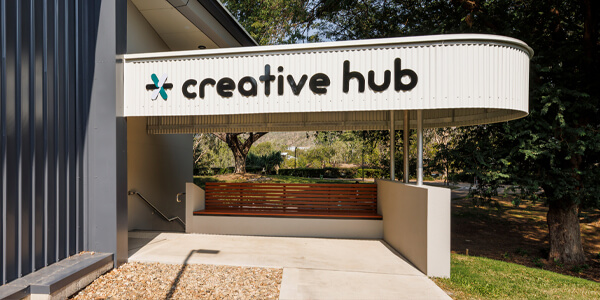
The Citylibraries Riverway Creative Hub
Opening Hours
The Riverway Creative Hub is now accessible 24/7.
Outside Citylibraries Riverway staffed hours, users can access the space via the Creative Hub entrance using the PIN provided in their booking confirmation.
Online Inductions
Before using the Riverway Creative Hub, all users must complete an online induction.
To complete your induction, please undertake the Online Safety Induction below and review the accompanying resources. Verification of your Online Safety Induction can take up to 10 business days. Once completed, you will be able to access and book the Creative Hub facilities.
Complete Online Safety Induction
Required Resources
- Riverway Creative Hub Online Safety Induction (PDF)
- Townsville Citylibraries Creative Spaces Terms and Conditions (PDF)
Please note:
- To complete the online induction, you must be over 18 years of age.
- Use of the space after hours is restricted to those who have completed an Online Induction.
- The Online Safety Induction is valid until 30 June 2027.
- Anyone inducted before 30 June 2026 must complete a new induction.
Booking Creative Hub Equipment
All access is controlled by Council’s booking system, Bookable.
To make a booking, simply:
- Log in to Bookable
- Select Libraries > Citylibraries Riverway
- Browse available equipment and complete your booking.
Once you have completed your booking, you will receive a confirmation text with your Booking Access PIN number (for after-hours access), as well as an email with your booking details.
You can manage your booking anytime through your Bookable account. If you can’t attend a booking, please cancel or adjust it as soon as possible so other users can access the space and equipment.
Riverway MixHaus Makerspace
MixHaus Makerspace is an emerging technology ideation hub shaped by community collaboration and innovation
Sewing Equipment
- 3 x Elna 450 sewing machines
- 1 x Elna 792S overlocker
- Sewing essentials including scissors, quick unpicks, bobbins, thread and needles
Cricut Machines
- Cricut Autopress
- Cricut EasyPress
- 2x Cricut Maker 3
- CriCut Mug Press
- CriCut Hat press
Printers and Scanners
- EinScan 3D Scanner
- 2x Emblaser Pro 60W laser cutter and engraver with free plywood
- 3x Prusa MK4 3D printer with free PLA and PETG filament
Do you need assistance using the equipment? Drop in to our MixHaus Riverway Creative Hub Drop-In Session program every Wednesday from 3:45 – 4:45pm (school term only). Check out all dates on What’s On Townsville.
Riverway Digital Studios
Riverway Digital Studio
This space has been designed for podcasting and audio production.
Digital Studio 1
The space seats 6 and has the following equipment and resources:
- 1 x high-powered desktop PC for Audacity audio editing software
- 1 x RodeCaster Pro II audio interface
- 4 x Rode PodMics
Digital Studio 2
The space seats 2 and has the following equipment and resources:
- 1 x high-powered desktop PC for Audacity audio editing software
- 1 x RodeCaster Pro II audio interface
- 3 x Rode PodMics
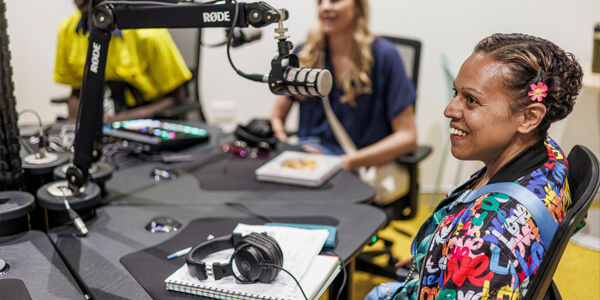
Participants in one of the Citylibraries Riverway Digital Studios
Useful Guides and Manuals
Michael from Rising Sun FPV explains how to use the Emblaser Pro.
Zak from Rising Sun FPV explains how to use the Prusa MK4.
View the full playlist of video guides for the RØDECaster Pro II.
- Cricut Autopress - Manual (PDF)
- Cricut Easy Press 3 - Manual (PDF)
- Cricut Maker 3 - Manual (PDF)
- EinScan - Manual (PDF)
- Emblaser Pro - Manual (PDF)
- Emblaser Pro - Creative Hubs Tutorial Video
- Prusa MK4 - Beginners Guide (PDF)
- Prusa MK4 - Creative Hubs Tutorial Video
- Prusa MK4 - Manual (PDF)
- RØDECaster Pro II - User Guide
- RØDECaster Pro II - Video Guides
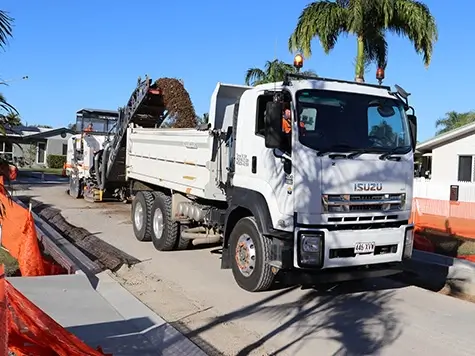
Capital Works Program
To keep Townsville growing, Council is actively involved in the delivery of projects to provide vital infrastructure and exciting development opportunities.

They Will Be Kings
Uniting some of Australia’s most exciting & influential trans activists, drag king performers and award-winning artists to rewrite the queer history of 21st Century Australia. Join the revolution. Celebrate the Kings.
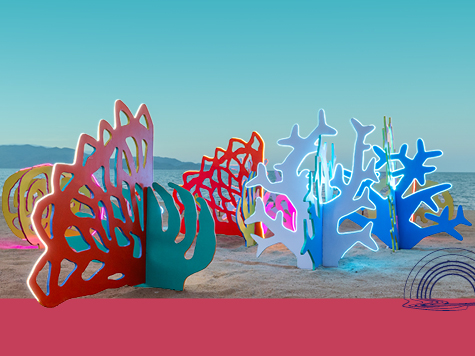
Entries are now open for Strand Ephemera 2027
Artists are invited to submit concepts that will form the North’s premier pop-up public art festival. Spark imagination and wonder, with artworks that celebrate Queensland’s unique stories – creating connection and lasting inspiration. Entries close: 10am, Tuesday 3 November 2026.
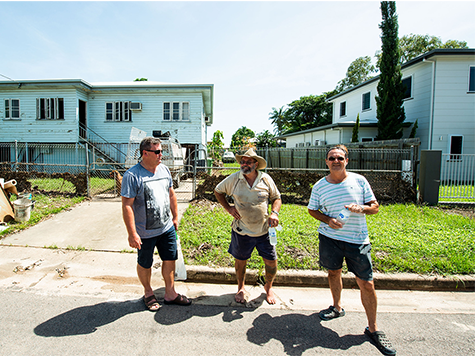
Recovery Roadshow
Council is taking recovery support on the road, with a series of community events planned across some of our region’s more remote communities. Connected communities recover better - let’s do it together.

Community Sentiment Survey
Council’s Community Sentiment Survey is a city-wide survey that gives community members the opportunity to tell Council what is working well, what needs improvement and what matters most to them. The survey closes 30 October 2026.